MemeDash Guides Hub
Bunny hop, slide, emote dash, and pixel surf tutorials for Coleslaw Studio's Roblox parkour beta.
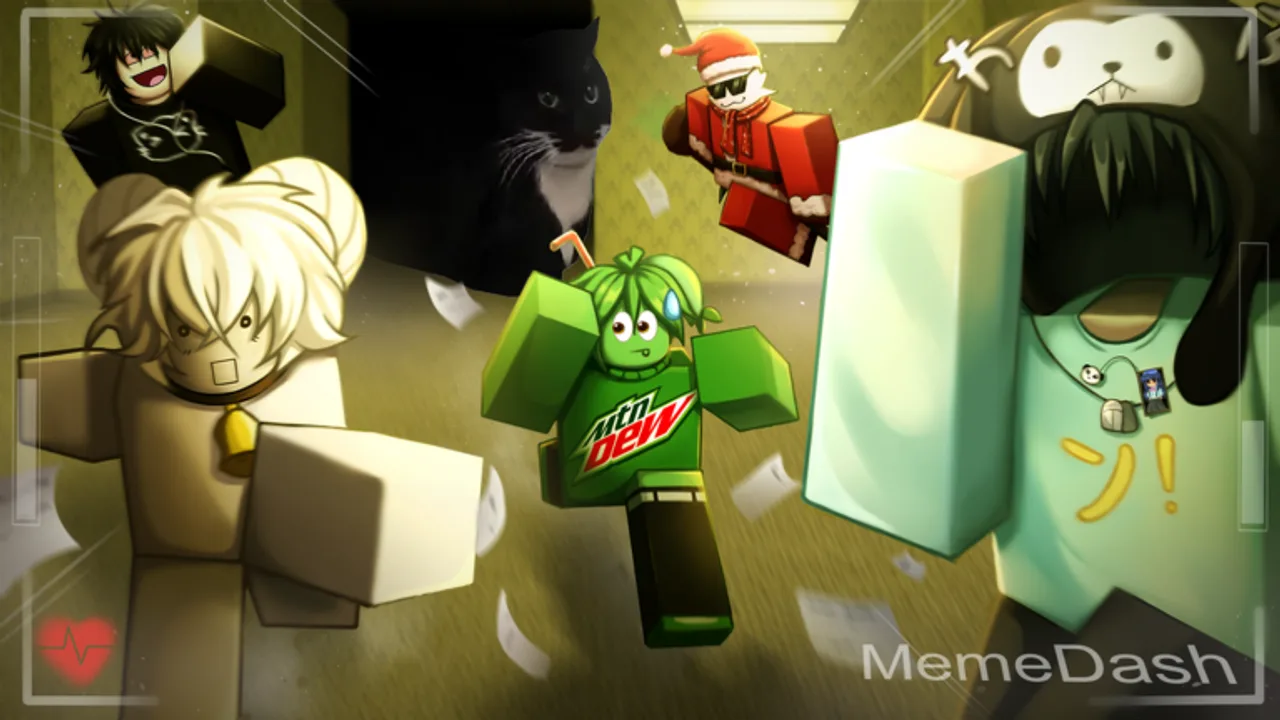
Welcome to the Guides Hub for [v0.6] MemeDash [BETA], the fast-paced Roblox survival and movement parkour experience from Coleslaw Studio. This hub is the map for every how-to on the wiki: first-hour setup, full controls, bunny hopping, sliding with momentum, emote dash, pixel surf, and mobile tips. If you only bookmark one page, make it this one—then drill into the skill you need next.
MemeDash is still in early-access public beta (live since 24 June 2026). Expect bugs, tuning changes, and occasional rough edges. The fun is the movement stack inspired by EVADE and Garry’s Mod-style air control: keep speed, chain hops, and outrun the chaos on servers capped at about 15 players. Platforms are Roblox on PC, mobile, and console through the Roblox client.
Start here
New to the game? Open the Getting Started guide first. It covers how to find the experience through the Coleslaw Studio group, what the beta notice means, a safe first-hour checklist, and links into every movement deep dive. Pair it with the Controls guide so G, C / Left Ctrl, M, N, and Z are muscle memory before you chase clips.
Movement skill tree
MemeDash rewards players who treat movement as the main progression system. Work the pages in this order if you are learning from zero:
- How to Bunny Hop �?air strafe with A/D and camera, avoid holding W in the air, land into the next jump.
- How to Slide �?crouch/slide into hops to dump height into horizontal speed.
- How to Emote Dash �?use G emote cancels for burst distance (often called edash in clips).
- How to Pixel Surf �?ride thin geometry and edges for surreal speed lines.
- Mobile Guide �?touch layout, sensitivity, and how to practice the same tech without a keyboard.
Each page is written for real practice loops, not buzzword dumps. Cross-links keep you bouncing between related skills instead of dead-ending after one article.
What you will find on each guide
- Clear goals for a short practice session
- Control reminders tied to official bindings
- Common failure modes (why you lose speed, why hops die)
- Links to sibling guides and hubs like Updates, Codes, and Scripts
- FAQs that match search intent (how to bhop on mobile, what VIP menu does, is the game finished)
At most one YouTube embed appears mid-article on video pages so you can watch a real clip, then return to the text steps. We only use verified video IDs—never filler embeds.
Practice mindset for beta
Because MemeDash is under active development, treat every session as both fun and feedback. Warm up on flat ground before attempting parkour lines. Record a short clip when a tech finally clicks so you can compare later patches. If something feels broken, check the Updates Hub and the Coleslaw Studio community channels before assuming you are doing it wrong.
VIP servers include a VIP panel with extra fun tools. Public servers stay competitive around movement skill. Either way, server size stays small enough that you will see the same faces while you grind routes.
Related hubs outside Guides
- Codes Hub �?honest status on promo codes and how to redeem if Coleslaw drops any
- Scripts Hub �?community tool feature lists plus safety warnings
- Tier List Hub �?movement tech rankings for learning priority
- Players Hub �?creators and community figures worth watching
- Wiki / Links �?official game page and studio group links
How to use this wiki efficiently
Skim the hub section that matches your search, open one deep guide, practice for ten minutes, then open the next linked skill. Prefer internal links with trailing slashes so you stay on the correct language path. When a patch lands, re-read the control notes and the slide or bhop pages first—those mechanics usually shift first in movement games.
If you are returning after a break, jump straight to Getting Started for the beta reminder, then refresh Controls and one advanced page. Momentum skills decay quickly; a short strafe warm-up beats jumping into the hardest line cold.
Community and credits
Movement design credits call out EVADE and Garry’s Mod influence. That heritage explains why air strafing and crouch timing matter more than raw walk speed. Watch creators who explain camera yaw while strafing—they usually teach MemeDash faster than pure speedrun VODs.
Stay respectful in public servers: do not grief learning players who are still holding W in the air. Share short tips, point them at this hub, and keep the lobby welcoming. The beta grows faster when new hoppers stick around.
Next steps
Pick one path now:
- Brand new �?Getting Started
- Need keybinds �?Controls
- Ready to gain speed �?How to Bunny Hop
- On a phone or tablet �?Mobile Guide
Then come back here whenever you need the full guide map. This Guides Hub will grow as Coleslaw ships more content, but the core loop—hop, strafe, slide, dash, surf—is already the heart of MemeDash.
Frequently Asked Questions
Quick answers for MemeDash movement, codes, and scripts.
Which MemeDash guide should I read first?
Start with Getting Started, then Controls. After that, learn bunny hop before slide, emote dash, and pixel surf so each skill builds on the last.
Is MemeDash finished or still in beta?
It is early-access public beta (labeled [v0.6] MemeDash [BETA]), live since 24 June 2026 and still under development. Bugs are expected.
Do these guides work on mobile?
Yes. Use the Mobile Guide for touch-specific tips, and open the bunny hop and slide pages for the same physics explained with phone-friendly practice loops.
Where do I find official controls?
Official bindings include G emote, C or Left Ctrl crouch/slide, M menu, N VIP menu, and Z zoom. Full notes live on the Controls guide.
Are promo codes covered in Guides?
Codes belong on the Codes Hub. Guides focus on movement and onboarding; check Codes when Coleslaw Studio announces drops.