How to Slide in MemeDash
Crouch-slide momentum, hop exits, and air strafe links for faster routes.
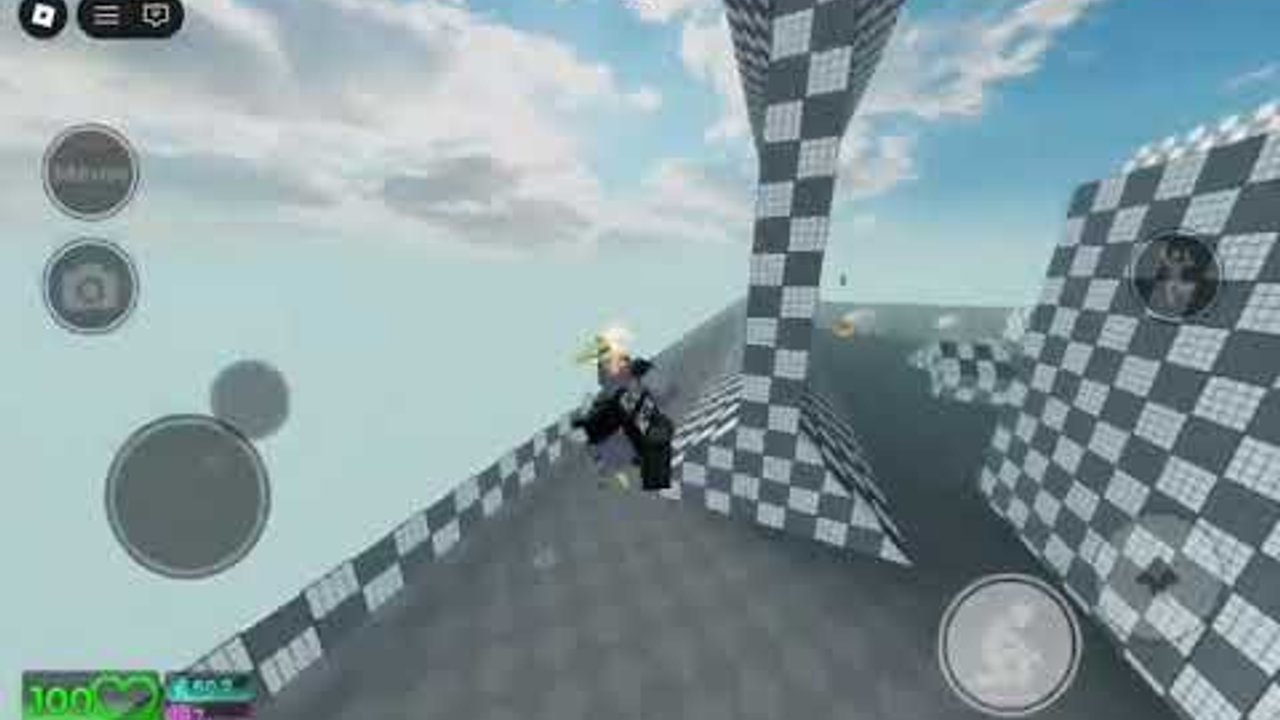
Sliding is how MemeDash players turn ordinary speed into low-profile bursts that feed bunny hop chains. Official controls list C and Left Ctrl for crouch/slide. This guide shows when to crouch, how to exit into the air, and how to keep strafing so the slide is a tool—not a panic button. Watch the mid-article slide/dash video after you read the first drills.
If you are brand new, finish Getting Started and skim Controls first. Sliding without hop literacy usually becomes permanent crouch waddling.
Crouch vs slide in practice
Standing still and pressing crouch mainly lowers your hitbox and camera. With forward speed, the same input tends to enter a slide state that carries momentum. Your job is to:
- Build speed (walk, run, or prior hop).
- Tap or hold crouch to enter slide intentionally.
- Steer during the slide.
- Jump out before the slide dies into a crawl.
- Air strafe as taught in How to Bunny Hop.
Why slide matters in a bhop game
MemeDash credits EVADE and Garry’s Mod inspired movement. Slides help you:
- Keep speed through low obstacles
- Convert awkward landings into usable pace
- Set up hop chains with a stronger first jump
- Look intentional in clips instead of stutter-walking
Slide is the bridge between “I can hop twice�?and “I can traverse a route.�?Emote dash and pixel surf still come after this bridge for most learners.
Basic slide drill (flat ground)
- Sprint or hop once for speed.
- Press C or Left Ctrl to enter slide.
- Release jump thoughts for a beat—feel the slide vector.
- Press Space to leave the slide into the air.
- Release W in the air and strafe with camera.
- Land and decide: chain another hop, or slide again.
Repeat ten times focusing on clean exits, not maximum distance.
Slide into multi-hop chains
Once single slide-hops work:
- Slide �?hop �?strafe �?land �?hop
- Then slide �?hop �?hop �?hop
- Then alternate slide entries every other chain
Do not slide before every single jump forever. Over-sliding wastes the grounded acceleration you sometimes need. Think of slide as a spice.
Air strafe after slide exits
The exit jump is where players lose magic. They slide well, jump, then hold only W and wonder why speed vanishes. Apply the same air rules:
- Prefer A/D + yaw over pure forward hold
- Keep turns smooth
- Re-jump promptly on landing
If air control collapses, isolate hops without slide for two minutes, then reintroduce slide exits.
Common slide mistakes
| Mistake | Result | Fix |
|---|---|---|
| Holding crouch all match | Slow crawl gameplay | Release key; crouch only for entries |
| Sliding from standstill | Weak or null slide | Build speed first |
| Jumping too late | Slide dies, hop is soft | Earlier Space on still-moving slides |
| Jumping too early | Barely crouched hop | Let slide establish, then exit |
| No camera plan | Slide faces a wall | Pre-aim exit path |
| Mixing G spam | Confused timing | Ban emotes until slide-hop is clean |
Pairing with emote dash
The featured video also touches dash flavor. After slide-hop is stable, add a single G emote dash on a known line using How to Emote Dash. Pattern to try in VIP: slide �?hop �?G burst �?hop. If the combo fails, remove G and verify the slide-hop alone still works.
Mobile sliding notes
On touch devices, crouch/slide is an on-screen control. Place it where your thumb can chord with jump. Practice slide-then-jump as two deliberate taps until rhythm exists. Camera drag should stay gentle during the slide so you do not curve into walls. More layout help sits in the Mobile Guide.
VIP and public practice
VIP servers offer a quieter VIP panel (N) for drilling exits. Public servers (~15 players) teach you to slide without colliding through crowds. Alternate: learn in VIP, prove in public.
Route application
When you approach a parkour segment:
- Scout with Z if the first landing is tight.
- Enter with a slide only if the floor before the gap supports it.
- Exit hop toward the next pad with strafe already planned.
- Chain hops across the segment.
- Use another slide only when you need a fresh grounded burst.
Pixel surf lips sometimes want a slide entry—see How to Pixel Surf after this page feels natural.
Beta caution
MemeDash is still under development since the 24 June 2026 public beta launch. Slide friction or crouch behavior can shift. When movement feels “off,�?check Updates and re-run the flat slide drill before inventing new bad habits.
Related guides and hubs
- Guides Hub
- Bunny Hop
- Emote Dash
- Pixel Surf
- Controls
- Getting Started
- Tier List for learning priority
- Scripts if you are tempted by speed hacks (read the warnings)
Practice schedule
- Minutes 0�?: hop warm-up, no crouch
- Minutes 2�?: slide �?single hop exits
- Minutes 6�?0: slide into three-hop chains
- Minutes 10�?2: optional one emote dash attempt
- Stop on a success
Carry the sentence speed, slide, jump, strafe into every session. When that loop is boringly reliable, MemeDash routes open up—and the fancier tech pages stop feeling like separate games.
Frequently Asked Questions
Quick answers for MemeDash movement, codes, and scripts.
What key slides in MemeDash?
Crouch/slide uses C or Left Ctrl. With speed, crouch typically enters a slide you can jump out of into hop chains.
Why is my slide so weak?
You are likely crouching from standstill or holding crouch too long. Build speed first, then slide, then jump out while still moving.
Should I hold crouch while bunny hopping?
No. Use crouch for intentional slide entries. Permanent crouch usually kills hop quality.
How does sliding connect to air strafe?
Slide builds or preserves grounded momentum; the exit jump must still use A/D and camera strafing or the speed dies in the air.
Can I learn sliding on mobile?
Yes. Bind crouch comfortably, practice slide-then-jump taps on flat ground, and keep camera drag smooth. See the Mobile Guide for layout tips.