Getting Started with MemeDash
Find the game, survive the beta notice, and learn the movement basics in your first hour.
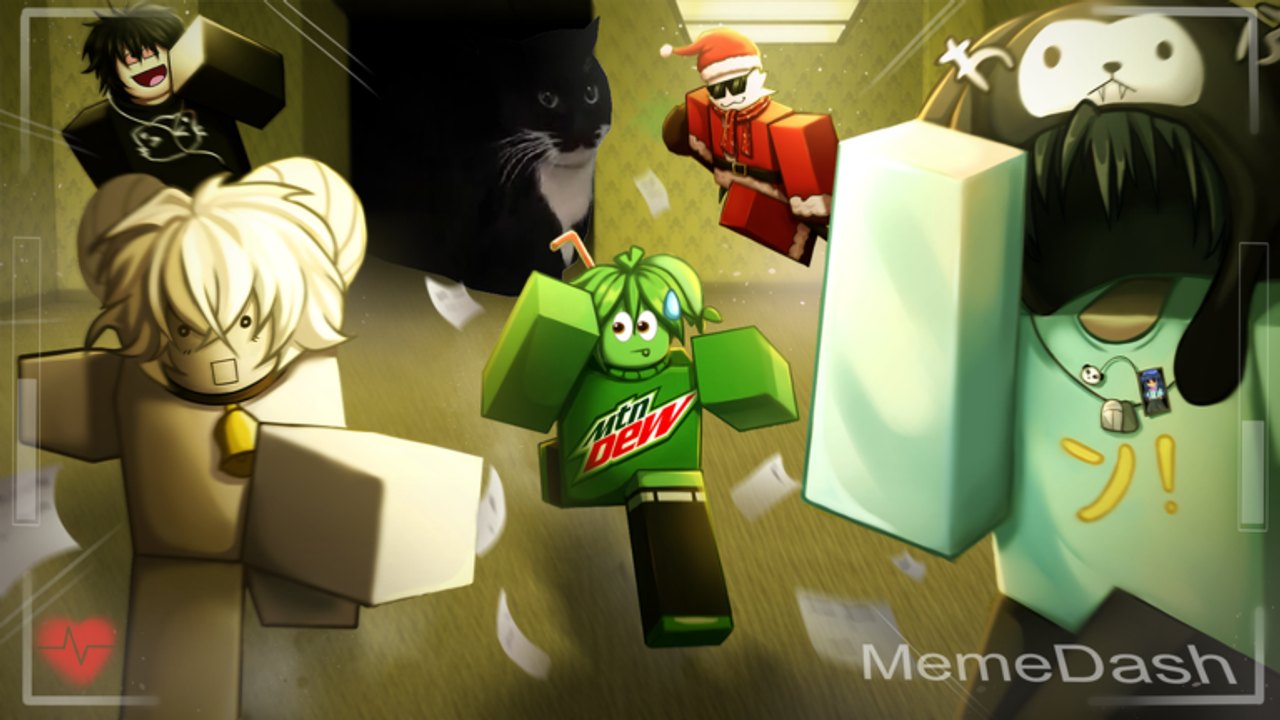
This Getting Started guide is for anyone launching [v0.6] MemeDash [BETA] for the first time. MemeDash is a Roblox survival and fast-paced movement parkour game by Coleslaw Studio (community id 32849850). Servers hold about 15 players, the experience is online multiplayer, and the public beta has been live since 24 June 2026. Expect bugs—the developers say the game is still under development.
Your goal in hour one is not a perfect speedrun. It is to join the correct place, learn the official controls, feel bunny hop and slide once, and know which wiki pages to open next. Bookmark the Guides Hub so you can return after every practice block.
How to find and join MemeDash
- Open Roblox and search for MemeDash, or go through the Coleslaw Studio group experiences list so you land on the official place.
- Confirm the title often displays as [v0.6] MemeDash [BETA] and that the creator is Coleslaw Studio.
- Prefer the main public place (universe id 10388903695, place linked from this wiki’s play button) over random lookalike experiences.
- Join a public server to learn social flow, or a VIP server later if you want the VIP panel tools in a quieter lobby.
If search results are noisy, open the studio group page first, then launch from there. That path reduces fake or outdated copies.
Read the beta notice like a checklist
The official description warns that the game is still in beta and can contain bugs. Treat that as permission to play carefully:
- Save long practice for VIP or low-population servers when you are learning inputs.
- Rebind nothing until you understand defaults—see the Controls guide.
- When something feels wrong, check Updates before assuming you broke a tech.
- Report constructive bugs through studio channels rather than rage-quitting mid-learn.
Credits in the description mention EVADE and Garry’s Mod inspired movement. That is why air control and crouch timing matter more than simply holding sprint.
First-hour checklist
Use this sequence on day one:
- Spawn and look around �?note spawn geometry, bot or player density, and safe flat ground.
- Open Menu with M �?skim options so you know where settings live.
- Test crouch/slide with C or Left Ctrl on flat ground.
- Press G once to see emote behavior without combining it into a dash yet.
- Tap Z to learn zoom for lined-up parkour jumps.
- Walk, jump, and release W in the air while peeking left/right strafe—this is the seed of bunny hop.
- Attempt one short hop chain, then rest. Do not grind failed lines for thirty minutes straight.
- Open this wiki on a second screen: How to Bunny Hop, How to Slide, How to Emote Dash, How to Pixel Surf, and the Mobile Guide if you are on touch.
Basic movement philosophy
MemeDash rewards momentum. Standing still is safe but boring; holding only forward while jumping usually kills air speed. The community pattern—shared with Source-engine style bhop games—is:
- Build speed on the ground or with a slide.
- Jump into the air and stop holding pure forward when you want to strafe-gain.
- Steer with A/D plus mouse (or touch camera) yaw.
- Land into another jump before friction eats your speed.
- Layer slide and emote dash once basic hops are stable.
You do not need pixel surf on day one. Surf is a late first-week skill after hop and slide feel honest. Emote dash is a power tool—learn the emote key early, but master timing after hop foundations.
Platforms and input reality
Roblox runs MemeDash on PC, mobile, and console through the Roblox client. Keyboard players get the cleanest path to classic bhop because A/D + mouse is precise. Mobile players can still learn—use the Mobile Guide and the bunny hop page’s mobile-friendly practice notes. Console players should map crouch/slide and emote to comfortable buttons and keep camera sensitivity moderate.
Server size around fifteen keeps lobbies readable. You will see skilled players chaining routes; watch their camera, not only their feet. Ask politely for one tip rather than demanding free carries.
VIP servers and the VIP menu
Official copy highlights that VIP servers now have a VIP panel with fun features. Press N for the VIP menu when you are in a VIP context. Use VIP space to practice without public pressure, test zoomed lines, or mess with panel toys. Public servers remain the place to stress-test movement under chaos.
Codes, scripts, and staying safe
As of November 2026 research, there are no confirmed active public promo codes widely listed. When codes appear, redeem steps usually live in an in-game menu or code box if Coleslaw adds one—follow the Codes Hub and watch the Coleslaw Studio group or Discord announcements instead of random comment sections.
Community scripts exist (feature lists and warnings live on the Scripts Hub). Using third-party executors can violate Roblox rules and risk your account. Learn movement with your hands first; tools that auto-farm or noclip remove the skill the game is built around.
What success looks like after one hour
You are doing fine if you can:
- Join the real Coleslaw Studio place without confusion
- Recall G / C / M / N / Z without a cheat sheet
- Complete a few jumps while consciously releasing forward in the air
- Slide once without panic crouch-locking
- Open the next guide intentionally instead of doom-scrolling clips
You are not behind if pixel surf still looks impossible. That mechanic is flashy on purpose. Build hop consistency, then slide chaining, then dash, then surf.
Where to go next
- Full key list and mobile notes �?Controls
- Speed foundation �?How to Bunny Hop
- Momentum dumps into speed �?How to Slide
- Burst tech �?How to Emote Dash
- Edge riding �?How to Pixel Surf
- Touch players �?Mobile Guide
- Patch awareness �?Updates Hub
- Official links �?Wiki / Links
Play the short gameplay overview mid-page, then jump back into a public or VIP server with one goal: five clean hop attempts. Close the session while it still feels fun—that habit keeps beta players improving instead of burning out.
Frequently Asked Questions
Quick answers for MemeDash movement, codes, and scripts.
How do I find the real MemeDash game?
Search Roblox for MemeDash by Coleslaw Studio, or open the Coleslaw Studio group and launch the [v0.6] MemeDash [BETA] experience from there to avoid lookalikes.
Is MemeDash still in beta?
Yes. It is early-access public beta since 24 June 2026, still under development, and can contain bugs. Play with that expectation.
What should I learn in the first hour?
Join the correct place, memorize G/C/M/N/Z, try crouch/slide and a basic hop while releasing W in the air, then open the bunny hop and controls guides.
Do I need VIP to learn?
No. Public servers work for learning. VIP servers add a VIP panel and quieter practice space when you want fewer interruptions.
Are there working codes right now?
No confirmed active public promo codes were widely listed as of November 2026 research. Watch Coleslaw Studio channels and the Codes Hub when drops are announced.
Can I play MemeDash on mobile?
Yes. Roblox supports mobile. Use the Mobile Guide plus bunny hop and slide pages for touch-oriented practice tips.