MemeDash Mobile Guide
Touch controls, sensitivity, and practice plans for Roblox phones and tablets.
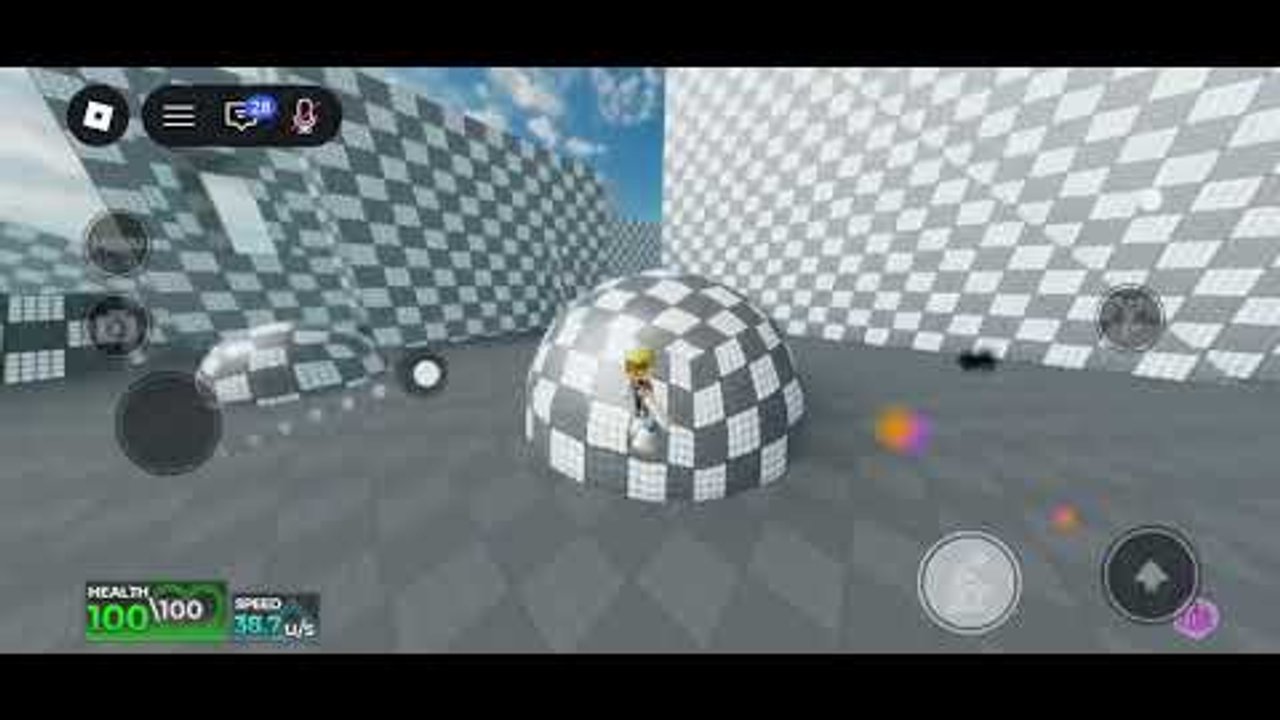
MemeDash runs on Roblox mobile, so phones and tablets are first-class ways to play Coleslaw Studio’s parkour beta—not second-class leftovers. This Mobile Guide focuses on layout, sensitivity, and practice structure. Deep physics explanations live on the PC-friendly pages for bunny hop, slide, emote dash, and pixel surf; use those for theory and this page for thumbs.
The game is still [v0.6] early-access beta (public since 24 June 2026). Expect UI quirks. Servers hold about 15 players online. Bring patience and a charged battery.
Why mobile feels harder (and how to compensate)
Keyboard players separate jump, strafe keys, and mouse yaw across two hands with high precision. Touch players share limited screen real estate between:
- Virtual joystick
- Jump button
- Crouch/slide button
- Camera drag
- Occasional emote and menu UI
Compensation strategies:
- Enlarge jump and crouch hitboxes in Roblox settings where possible
- Lower camera sensitivity until turns are readable
- Prefer tablets or larger phones for surf practice
- Use landscape orientation for wider peripheral vision
- Practice one mechanic per session so thumbs learn roles
Recommended control layout goals
Exact Roblox skins differ, but aim for:
- Jump reachable by the same thumb every time without covering the camera zone.
- Crouch/slide close enough to chord after a jump, not buried in a corner you miss under stress.
- Joystick sized so micro-strafes are possible—not so huge it eats the screen.
- Clear path to emote if you are training edash; otherwise hide rarely used buttons.
- Easy access to Roblox menu, remembering in-game M equivalents may appear as UI icons on touch.
Revisit Controls for what each action means (G emote, C/Ctrl slide, M menu, N VIP, Z zoom). On mobile, zoom and VIP may appear as buttons or menu entries depending on build—learn where they live in your client.
Sensitivity and camera discipline
Air strafing needs yaw that matches strafe direction. On mobile:
- Start with lower sensitivity than your FPS habits
- Drag camera in long smooth strokes, not frantic flicks
- During hops, decide the turn before you jump
- For pixel surf, scout first, then commit a stable drag along the edge
If you overshoot every landing, sensitivity is probably high. If you cannot complete a turn mid-air, it may be too low—or your jump rhythm is late.
Mobile bunny hop practice plan
Open the full bunny hop guide for the no-W / strafe theory (on touch, “forward�?is joystick push). Then run this plan:
- Flat ground only for ten minutes.
- Jump rhythm without worrying about max speed.
- Add gentle left camera + left strafe pushes, then right side.
- Chain two hops, then three.
- Stop before frustration; watch a skilled mobile clip later offline.
The dedicated mobile bhop video lives on the bunny hop page to keep YouTube IDs unique across the wiki—use that embed when you need a visual.
Mobile sliding
Sliding still uses crouch with speed. On touch:
- Push joystick forward to build pace.
- Tap crouch to slide.
- Tap jump to exit.
- Resume camera-strafe in the air.
Chord timing is the hard part. Practice slide→jump as a two-tap rhythm on empty plazas. Details and mistake tables sit on How to Slide.
Emote dash and pixel surf on touch
- Emote dash: only after hop and slide are stable. Make sure emote is not mis-tapped during every jump. Follow How to Emote Dash.
- Pixel surf: harder on small screens. Scout edges carefully, prefer larger devices, and accept a slower learn curve. Follow How to Pixel Surf.
VIP servers for mobile learners
Public chaos plus touch latency is rough. When you can, use a VIP server and the VIP panel features for quiet drills. Fewer collisions means cleaner feedback on whether a hop failed because of thumbs or because of traffic.
Performance tips
- Close background apps
- Prefer stable Wi-Fi over spotty data for timing practice
- Lower graphics if frames hitch mid-strafe
- Keep devices cool; thermal throttle ruins hop rhythm
- Update Roblox when Coleslaw ships fixes that touch input
Session template (25 minutes)
- 0�? min: settings check, sensitivity confirm
- 3�?0 min: hop chains flat ground
- 10�?6 min: slide �?hop exits
- 16�?0 min: one advanced attempt (dash or simple edge)
- 20�?5 min: free play a short route or stop on a win
Bring water. Thumb fatigue creates fake plateaus.
Mindset and community
Mobile players belong in MemeDash. Ignore chat that gates skill behind keyboard elitism. Ask for entry landmarks, not insults. Share short recordings when asking for advice so helpers see your joystick and camera timing.
Read Getting Started for beta expectations and how to find the real Coleslaw Studio place. Check Updates after patches. Use Codes only when official drops appear—there were no confirmed widely listed active promo codes as of November 2026 research. Avoid shady executors marketed for mobile; see Scripts safety notes.
Cross-links to keep open
- Guides Hub
- Controls
- Bunny Hop (includes mobile bhop video)
- Slide
- Emote Dash
- Pixel Surf
- Tier List
- Players
- Wiki / Links
Closing
Mobile success in MemeDash is mostly layout + sensitivity + short focused drills. Physics knowledge still matters—steal it from the sibling guides—but your thumbs need their own training plan. Set up jump and crouch so they never hide, warm up on flat ground, and treat every beta patch as a chance to re-check feel. Do that, and parkour on a phone stops being a joke and starts being a legitimate way to main the game.
Frequently Asked Questions
Quick answers for MemeDash movement, codes, and scripts.
Can I really bunny hop on mobile in MemeDash?
Yes. Use rhythmic jump taps, match camera drags to strafe direction, and lower sensitivity. See the bunny hop guide for theory and its mobile-oriented video.
What settings help most on phones?
Larger jump/crouch buttons, lower camera sensitivity, landscape mode, and stable frame rate matter more than max graphics.
Should mobile players use VIP servers?
They help. Quieter VIP lobbies reduce collisions so you can feel whether a failed hop was input timing or traffic.
Where is the mobile bhop video on this wiki?
It is embedded on the How to Bunny Hop page to keep each guide on a unique YouTube ID. Use that page alongside this Mobile Guide.
Is pixel surf realistic on a small phone?
It is harder. Scout carefully, consider a tablet, and learn hop/slide first. Many mobile players still clear surf lines with practice.